Showing posts with label TableView. Show all posts

Monday, December 16, 2013

iOS7 > Lesson#17 - Single Table View Application with plist

Background

In this lesson, we will learn:

  • Create a single table view application (with plist)
  • Pass data from Master scene to Detail scene


<Create a single table view application (with plist)>

Step#1 - Create a new project with Master-Detailed Application Template

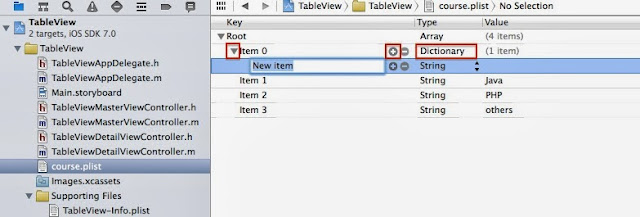
Follow iOS7 > Lesson#13b - Single Table View Application but use .plist to store the array objects.


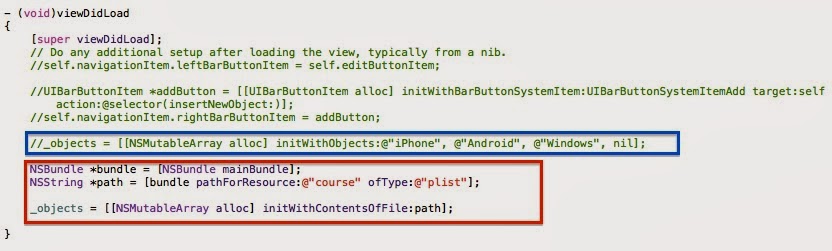
Step#2 - Editing TableViewMasterViewController.m

Edit the array object in method viewDidLoad with course.plist


TableViewMasterViewController.m (viewDidLoad)


Step#3 - Run & Compile

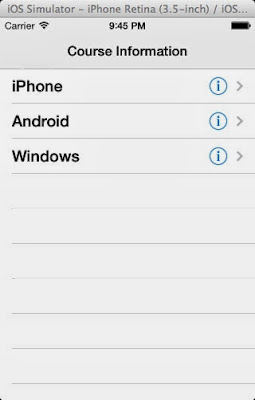
You can see the table view contents from plist.

Master scene


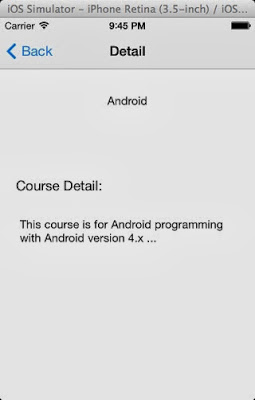
Detail scene


<Pass data from Master scene to Detail scene>

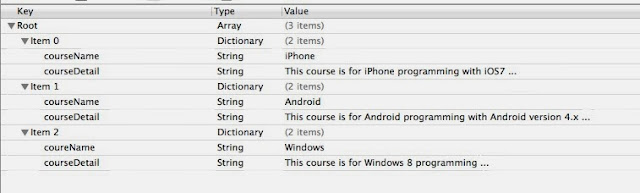
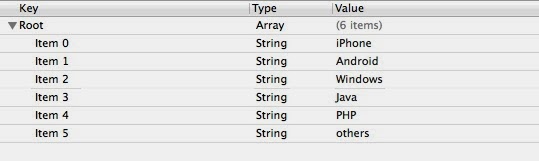
Step#1 - Edit plist

course.plist

course.plist

Step#2 - Edit TableViewMasterViewController.m
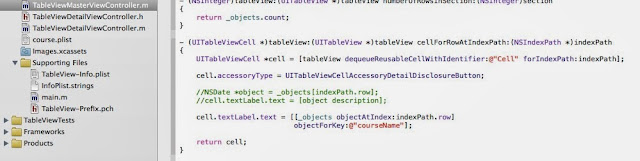
TableViewMasterViewController.m


Step#3 - Edit TableViewDetailViewController.h


Step#4 - Edit TableViewMasterViewController.m
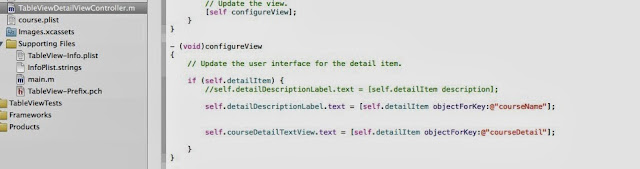
TableViewDetailViewController.m

Step#5 - Run & Compile

Master Scene

Detail Scene


iOS7 > Lesson#16 - Single Table View Application

Background

In this lesson, we will learn:

  • Create a single table view application (with Master-Detailed Template)


Step#1 - Create a new project with Master-Detailed Application Template

To create a new Xcode project name "TableView" with a "Master-Detailed Application" template.


Master-Detail Application Template


Save project name as "TableView"
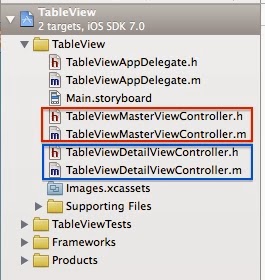
project file structure
default storyboard


Step#2 - Run & Compile


Master scene


Add a new record (row) by clicking the add button "+" in the right of navigation bar


Clicking the Edit button in the left of navigation bar  so that "-" icon will be shown in the left of each record (row)


Clicking the "Delete" button in the right of specific record (row) to confirm the deletion

Step#3 - Storyboard

Change the Master Title in storyboard


Step#4 - Edit xxxMasterViewController.h

TableViewMasterViewController.h


Step#5 - Edit xxxMasterViewController.m


1. To import #import "TableViewDetailViewController.h" in TableViewMasterViewController.m, so that all variable objects declared in Detail class can be viewed in Master class.


2. To declare a NSMutableArray object named "*_objects" in @interface of .m class.

* Notes:
The variable declaration in @interface of .m class is as same as that declared in .h class. The only difference between two ways is no need to code @synthesize in .m class when those variables declared in @interface of .m class and cannot be called by other ViewController classes.

3. To hardcode the array objects inside the method -(void)viewDidLoad of  TableViewMasterViewController.m class.


4. When the table is created, it will return the number of rows in sections from _objects.count.
TableViewMasterViewController.m (numberOfRowsInSection:)


Step#5 - Run & Compile again

Master Scene

Detail Scene